
Verified email-pattern data for Autonomiq Chropath is currently limited. You can still use the company insights and contact sections below.
Engineers call it LifeSaver!!
AutonomIQ offers a developers platform ChroPath to generate and validate unique selectors like relative xpath with iframe support
ChroPath 5.0
ChroPath generates unique relative xpath, absolute xpath, cssSelectors, linkText and partialLinkText just by one click. ChroPath can also be used as Editor for selectors. It makes easy to write, edit, extract, and evaluate XPath queries on any webpage. ChroPath also supports iframe, multi selectors generation, generate relative xpath with custom attribute, automation script steps generation and many more.
Please contact Sanjay Kumar, ChroPath Creator at chropath@autonomiq.io for support.
How to use ChroPath-
1. Right-click on the web page, and then click Inspect.
2. In the right side of Elements tab, click on ChroPath tab.
3. To generate selectors, inspect element or click on any DOM node, it will generate the unique relative XPath/absolute XPath/CSS selector/linkText/partialLinkText.
4. To evaluate XPath/CSS, type the XPath/CSS query and press enter key.
As you enter, it will query in DOM for the relevant element/node. You can view the matching node(s) and nodes value as per their sequential occurrence. A green colour outline appears around to highlight the first matching elements and rest in blue colour in the web page.
5. If you mouse hover on any matching node in the ChroPath tab, green/blue dashed outline will convert into dotted orange red to highlight the corresponding element in the webpage.
6. If the found element is not in visible area on webpage then mouse hover on found node in ChroPath panel will scroll that element in the visible area with dotted orange red outline.
7. If found element is not highlighted but visible then on mouse hover on matching node on ChroPath tab it will highlight element with dotted orange red outline.
8. copy the locators just by clicking on copy icon.
9. click on edit icon if want to edit any locator.
Company Details
- Founded
- -
- Address
- Bengaluru, Karnataka 560087, In
- Industry
- It Services And It Consulting
- Website
- https://autonomiq.io/chropath/
- Keywords
- IT Consulting.
- HQ
- Bengaluru, Karnataka
Autonomiq Chropath Questions
AutonomIQ ChroPath's website is https://autonomiq.io/chropath/
AutonomIQ ChroPath's LinkedIn profile is https://in.linkedin.com/company/chropath
AutonomIQ ChroPath's industry is
IT Services and IT Consulting
AutonomIQ ChroPath's top competitors are
Qa Plus,
Urban Ladder,
Selectorshub,
Devops Institute,
Autonomiq,
Naveen Automationlabs,
Goibibo,
Inmobi Advertising,
Ravetestparty (Rtp),
The Test Chat.
AutonomIQ ChroPath's categories are IT Services and IT Consulting
AutonomIQ ChroPath's founding year is 2017
Explore related pages
Related company profiles:
Companies like AutonomIQ ChroPath
Free Chrome Extension
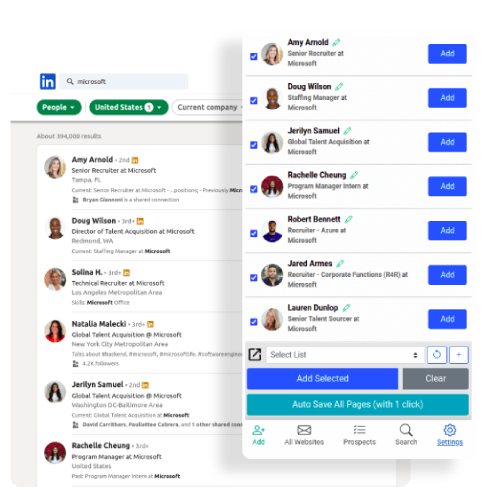
Find emails, phones & company data instantly
Find verified emails from LinkedIn profiles
Get direct phone numbers & mobile contacts
Access company data & employee information
Works directly on LinkedIn - no copy/paste needed
Aero Online
Your AI prospecting assistant
Select data to include:
Total price:
$0.00
0 records × $0.02 per record
How It Works
Get a Free Account
Sign up for a free account. No credit card required. Up to 10 free credits.
Search the #1 Contact Database
Get contact details of over 750M+ profiles across 60M companies – all with industry-leading accuracy. Sales Navigator and Recruiter users, try out our Email Finder Extension.
Use our AI-Powered Email Finder
Find business and personal emails and mobile phone numbers with exclusive coverage across niche job titles, industries, and more for unparalleled targeting. Also available via our Contact Data API.