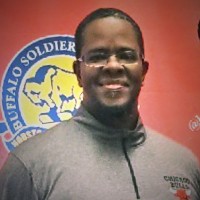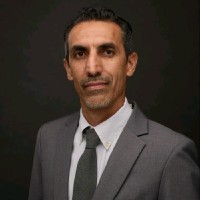

Jorge Garcia
AeroLeads people directory · profile

Jorge Garcia Email & Phone Number

System Support Specialist III at Texas Department of Motor Vehicles
Location: Austin, Texas, United States 11 work roles 1 school
1 work email found @txdmv.gov LinkedIn matched
✓ Verified July 2026 4 data sources Profile completeness 100%

Contact Signals · 1 work email

Work email j****@txdmv.gov
LinkedIn Profile matched
3 free lookups remaining · No credit card
Role
System Support Specialist III
Location
Austin, Texas, United States
Company size

Who is Jorge Garcia? Overview

A concise factual answer block for searchers comparing this professional profile.

Quick answer

Jorge Garcia is listed as System Support Specialist III at Texas Department of Motor Vehicles, a with 332 employees, based in Austin, Texas, United States. AeroLeads shows a work email signal at txdmv.gov and a matched LinkedIn profile for Jorge Garcia.

Jorge Garcia previously worked as IT Support Technician at Texas Department Of Motor Vehicles and PC Setup Technician at Wayfair. Jorge Garcia holds Associate Of Science, Information Technology-Multimedia from Itt Technical Institute-Austin.

Company email context

Email format at Texas Department of Motor Vehicles

This section adds company-level context without repeating Jorge Garcia's masked contact details.

{first}.{last}@txdmv.gov
89% confidence

AeroLeads found 1 current-domain work email signal for Jorge Garcia. Compare company email patterns before reaching out.

Profile bio

About Jorge Garcia

Jorge Garcia is a System Support Specialist III at Texas Department of Motor Vehicles. He possess expertise in css, social media, web design, microsoft excel, system administration and 31 more skills.

Listed skills include Css, Social Media, Web Design, Microsoft Excel, and 32 others.

Current workplace

Jorge Garcia's current company

Company context helps verify the profile and gives searchers a useful next step.

Texas Department of Motor Vehicles
Texas Department Of Motor Vehicles
System Support Specialist III
austin, texas, united states
Website
Employees
332
AeroLeads page
11 roles

Jorge Garcia work experience

A career timeline built from the work history available for this profile.

System Support Specialist Iii

Current

Austin, Texas, United States

• Same tasks as below from the Technical Support Specialist Contractor position.• Provide IT Support to all TxDMV Regional & County offices around the State of Texas and headquarters personnel.• Manage County office moves and new installs.• Write work instructions for any standard procedures.• Train new contractor technicians on the process of supporting County offices such as how to image a Dell workstation, how to ship equipment to County offices, and how to set up new equipment over the phone and remote into the workstation.• Consult with 22nd Century vendor technicians and train them on the process of setting up and configuring County workstations onsite.• Attend weekly AI Integration Workgroup meetings to discuss what AI applications can be implemented to improve workflow at the TXDMV • Assisted ITSD, VTR, County Offices and Regional Service Centers with recovering over 5,000+ workstations from the CrowdStrike crash in less than 48 hours.

Oct 2022 - Present

It Support Technician

Austin, Texas, United States

• Provide IT Support to all TxDMV County offices around the State of Texas.• Reported to a Full-Time Employee (FTE) IT Specialist for any training, special assignments, and/or guidance.• Collect tickets that were pushed by the Help Desk, using BMC RemedyForce.• Give verbal and remote support to users on the phone with Cisco IP Communicator.• Assist County personnel with setting up their new workstations, monitors, printers, and cash drawers.• Communicate with the Inventory Specialist for any equipment needed such as Dell workstations, Lexmark printers, PosiFlex Cash Drawers, and Dell monitors.• Set up shipments for any equipment needed per County office requests such as new workstations, monitors, printers, and cash drawers.• Use Remote Desktop Connection to remote in as local admin to access admin troubleshooting tools.• Use LANDESK Remote Control or Ivanti Remote Control to remote into the user’s workstation while they are logged in.• Print labels for Dell workstations with their designated computer name, using a DYMO LabelWriter 450 Turbo.• Use the application, Invanti Management Console, for remote support, remote file transfer, remote software installs, and checking inventory status of a computer unit, printer, and other equipment based on the computer name.• Use Windows PE from a flash drive to image and configure Dell OptiPlex 5080 and 5090 Micro workstations for County offices.• Write work instructions for any standard procedures.• Travel out of town with an FTE for secondary workstation installs.• Attend bi-weekly virtual meetings through Microsoft Teams with other technicians, discussing business matters.

May 2022 - Oct 2022

Pc Setup Technician

Austin, Texas, United States

• Reported to a Wayfair Full-Time Employee (FTE) for instructions and plans on setting up all PC equipment inside of a call center.• Brought in shipments of PC-related equipment such as monitors, ethernet cables, power cables, Display port cables, mice, keyboards, power strips, etc.• Physically set up all PC-related equipment for each call center desk, based on the FTE’s instructions.• Raised up each standup desk to determine how much cable must be bundled.• Bundled any leftover cable, after setup per desk.• Picked up all trash such as empty boxes and tossed them out into the dumpster

Apr 2022 - May 2022

Production & Technician Lead

Bella Eden

Round Rock, Tx

• Supervised and oversaw all tech equipment setup while assisting with setting up for every Sunday church service.• Provided Audio/Visual and technical support• Set up main speakers, monitor speakers, microphones, soundboard, media equipment, and any extra sound equipment requested by each musician.• Operated a Behringer X32 Compact to sound mix the music and monitored volume levels during church services.• Cued slides and background music with ProPresenter to provide music lyrics, announcements, videos, and sermon notes on a big screen.• Manually operated a camera to keep focused on the speaker.• Operated a Blackmagic ATEM Mini to switch between camera angles during church services.• Used OBS Studio to broadcast live services via Facebook and YouTube.• Monitored both Facebook and YouTube live stream feed during service.• Provided basic troubleshooting on a laptop for when any issues occur.• Consulted with the Pastor for any technical equipment and software recommendations.• Participated in monthly meetings and provided audio, video, and other tech-related feedback.

May 2021 - Jan 2022

Tier 2 Field Desktop Support

Dxc Technology/At&T (Formally Ibm/At&T)

• AT&T's IT Support contract with IBM was transferred to DXC Technology.• Collected tickets that were escalated by Tier 1, using ServiceNow.• Troubleshoot and up-kept AT&T personnel desktops and laptops for proficient company production.• Communicated with many clients and other technicians in person, by phone, email and instant messenger.• Scheduled troubleshooting appointments with clients.• Noted detailed information in each ticket for all troubleshooting procedures.• Used a DXC exclusive version of Windows PE and/or DaRT to safely backup client’s data, troubleshoot issues and reimage systems.• Performed PC refresh procedures for users, which are also known as lease rolls with the End User Lease Roll application created by AT&T.• Attended weekly conference calls with other technicians around Central-Texas.• Attended bi-weekly conference calls for any software updates.• Held monthly meetings with General Managers for status updates on the call center.• Traveled occasionally to other sites for interpersonal troubleshooting.• Coordinated with General Managers & PC coordinators on projects along with constant status updates.• Trained newly hired local technicians.• Attended annual DXC online training.

Sep 2018 - May 2020

Tier 2 Deskside Service Representative

Ibm/At&T

• Collected tickets that were escalated by Tier 1, using Vantive.• Performed troubleshoots and up-kept AT&T employee desktops and laptops for proficient company production.• Communicated with many clients and other technicians in person, by phone, email and instant messenger.• Scheduled troubleshooting appointments with clients.• Noted detailed information in each ticket for all troubleshooting procedures.• Created walk-up tickets for any client’s immediate assistance.• Used an IBM exclusive version of Windows PE to safely backup client’s data, troubleshoot issues and reimage systems.• Performed PC refresh procedures for users, which are also known as lease rolls with the End User Lease Roll application.• Attended daily conference call meetings with other technicians around Central-Texas.• Held weekly meetings with General Managers for status updates on the call center.• Traveled occasionally to other sites for interpersonal troubleshooting.• Coordinated with General Managers on projects along with constant status updates.

Oct 2016 - Sep 2018

Pc Refresh Technician

• Configured computers in a procedural matter to have them ready for deployment.• Organized equipment such as keyboard, mice, monitors and post-configured computers in a flex room per department to have them set for deployment.• Interacted with other technicians on the PC refresh status.• Communicated with employees concerning the data migrating process.• Filled out PC refresh paperwork with information such as name of employee, username, department, physical location and programs that need to be installed requested by the user.• Manually backed up certain files that will not migrate through PCMover application.• Used PCMover to back up the user data from their old computers and convert it into a single PCV file.• Physically take down the employees’ old equipment from their desks and setup their new equipment, provided in the flex rooms.• Used PCMover once again to import the saved PCV file from the old computer to bring back the Windows user profile into the new computer.• Installed programs on the newly refreshed computers based on the PC refresh form.• Configured specific Windows settings in a procedural matter, while logged in under the employees’ user profile.• Checked with the users concerning the functionality and settings on their new computer.• Provided any quick troubleshooting requested by the users.

Oct 2015 - Jan 2016

It Support Technician

• Troubleshoot and upkeep employee desktops, laptops, and printers for proficient company production.• Related status on daily update reports to the IT Director.• Interacted with fellow IT technicians for necessary support.• Setup and troubleshoot Microsoft Outlook accounts for executives in the building.• Supported in maintaining the server room.• Kept inventory of computer components that are for company use.• Created and maintain a Meta Log to identify every computer and its locations in the building.• Wrote work instructions for vendors associated with VirTex.• Took photos of procedures on first article projects and enhance them through a photo editing program for illustration then inserted in work instructions.• Shot videos of first article project demo and assemble them through a video editing software to present in VirTex.• Provided backup assistance in the Box Build department; Assemble desktops and servers as well as imaging and configuring according to customer needs.• Relieved lead technician to supervise the Box Build department as needed.• Discussed procedures of first article projects with customers, programmers, and project managers.

Feb 2014 - Oct 2015

Audio/Visual Technician

The City Of Austin

• Confirmed that audio/video production is up to specs for commissions, boards, and council meetings.• Operated a Crestron touch screen to display content and control audio production for meetings.• Uploaded presentations on computer for the presenters and have them ready to display on cue.• Contacted the boards and commissions’ liaison by phone to make notes on when and what AV assistance is required.• Offered interpersonal IT or AV assistance; Provide audio and video feed from their laptops to project on screens whether systems are PC or Apple, update software for staff computers, authorize wireless network connection for any personal laptops or tablets, and provide end user training when required.• Consulted with IT Administrator on software recommendations.• Provided written reports to management including systems inventory, and software updates.

Jun 2012 - Jan 2014

Production Technician

• Projects and services performed for various companies.• Performed special tasks on computers and servers for Customer based Projects.• Imaged systems using PXE boot and Symantec Ghost.• Configured software through the use of Windows XP, Windows 7, Windows Server 2003 and 2008, Ubuntu, and Red Hat Linux.• Arranged hardware by switching out RAM, sound cards, video cards, network cards, hard drives, and connections from the motherboard to cards.• Lead Technician for Multiple Projects: Trained and offered assistance to personnel on new projects.• Effectively communicated daily production status in daily meetings.

May 2008 - Jan 2011

Computer Lab Assistant & Substitute Librarian

Austin, Texas, United States

• Supervised computer labs.• Assisted ITs with reimaging computers using Linux.• Helped students with information retrieval.• Tutored students in math and software use.

Mar 2007 - Sep 2007
Team & coworkers

Colleagues at Texas Department of Motor Vehicles

Other employees you can reach at txdmv.gov. View company contacts for 332 employees →

1 education record

Jorge Garcia education

  • Itt Technical Institute-Austin
    Itt Technical Institute-Austin
    Information Technology-Multimedia
FAQ

Frequently asked questions about Jorge Garcia

Quick answers generated from the profile data available on this page.

What company does Jorge Garcia work for?

Jorge Garcia works for Texas Department of Motor Vehicles.

What is Jorge Garcia's role at Texas Department of Motor Vehicles?

Jorge Garcia is listed as System Support Specialist III at Texas Department of Motor Vehicles.

What is Jorge Garcia's email address?

AeroLeads has found 1 work email signal at @txdmv.gov for Jorge Garcia at Texas Department of Motor Vehicles.

Where is Jorge Garcia based?

Jorge Garcia is based in Austin, Texas, United States while working with Texas Department of Motor Vehicles.

What companies has Jorge Garcia worked for?

Jorge Garcia has worked for Texas Department Of Motor Vehicles, Wayfair, Bella Eden, Dxc Technology/At&T (Formally Ibm/At&T), and Ibm/At&T.

Who are Jorge Garcia's colleagues at Texas Department of Motor Vehicles?

Jorge Garcia's colleagues at Texas Department of Motor Vehicles include Larry Vaughn, Gina Gola, Amanda Hilton, Katie Sullivan, and Regina Ygnacio.

How can I contact Jorge Garcia?

You can use AeroLeads to view verified contact signals for Jorge Garcia at Texas Department of Motor Vehicles, including work email, phone, and LinkedIn data when available.

What schools did Jorge Garcia attend?

Jorge Garcia holds Associate Of Science, Information Technology-Multimedia from Itt Technical Institute-Austin.

What skills is Jorge Garcia known for?

Jorge Garcia is listed with skills including Css, Social Media, Web Design, Microsoft Excel, System Administration, Seo, Microsoft Office, and Windows 7.

Find 750M verified contacts

Search by job title, company, industry, location, and seniority. Export verified B2B contact data when you need it.

People with similar names

Check these profiles if this is not the Jorge Garcia you were looking for.

View similar profiles