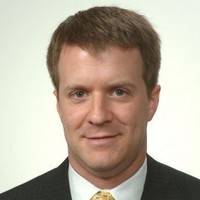
Fund Manager; Fundamental Analysis Software Developer; Ceo, Cio And Founder
Cream Asset Management
Please complete the CAPTCHA to continue
A concise factual answer block for searchers comparing this professional profile.
Michael William is listed as Fund Manager; Fundamental Analysis Software Developer; CEO, CIO and Founder at CREAM Asset Management, based in Piscataway, New Jersey, United States. AeroLeads shows a matched LinkedIn profile for Michael William.
Michael William previously worked as Fund Manager; Fundamental Analysis Software Developer; CEO, CIO & Founder at Cream Asset Management and Software Developer (Project SOUL) at Haevenworks By Michael William Nebab. Michael William holds Bachelor Of Arts - Ba, Chemistry from Rutgers University–New Brunswick.
Michael William is a Fund Manager; Fundamental Analysis Software Developer; CEO, CIO and Founder at CREAM Asset Management.
Company context helps verify the profile and gives searchers a useful next step.
A career timeline built from the work history available for this profile.
Piscataway Township, Nj, Us
Greater New York City Area
Actively managing a portfolio of stocks, ETFs, and fixed income, adhering to a simple albeit strict, principled, value investing paradigm based, in turn, on deep, rigorous, fundamental and economic analysis—no day-trading, no futures, no crypto Prioritizing long-term growth via healthy, well-managed, small- and mid-cap companies that provide socially, environmentally, and geopolitically beneficial goods and services—especially in nuclear, solar, biotech, and defense Leveraging my programming proficiency to perform extensive, detailed, data analysis; developing financial analysis softwareC R E A M Developing CREAM, a powerful, Python-based, fundamental analysis program that crunches a company’s financial data into useful metrics for determining said company’s investment worthiness CREAM automates and streamlines the analytical processes to such an extent that it explicitly provides data-backed investment advice
Greater New York City Area
SOUL is a prototype, Windows desktop- and command-line-based productivity "super app" which a user may query and command in plain, natural, written English. A platform for AI development and experimentation, though I intend to someday implement machine learning to add smart features, SOUL's capabilities and features are entirely hard-coded---per my AI development philosophy that there are only benefits to intelligent software with deliberate, innate, hard-coded abilities and foundations (as opposed to intelligent software built entirely on machine learning). The base software is written in Visual C#, built on the .NET platform.
Greater New York City Area
WHAT IS "POP"? Pop is a desktop-based, productivity-boosting console application (and my first project—as from in the moment I sat down to learn programming; its development is tied inextricably to my entire development as a Python developer). Rooted in my personal disdain for clumsy and uncomfortable pointing devices and inspired by intelligent robots in fiction,—doing perfectly whatever they're told with little to no instruction, (like J.A.R.V.I.S. in Iron Man,)—I built Pop for users who wish to quickly navigate the web and work his or her OS without ever having to reach for the mouse or touchpad. Via automation, Pop facilitates and expedites the execution of a vast and varied range of tasks by typing single, sensible, short and sweet commands—enabling the machine to operate more intuitively and efficiently and thereby boosting your productivity.You open it up, type in whatever, and let it give you or take you whatever or wherever you want.WHY?Pop is a lifehack for computer users, designed for both your hands and your machine to do a better job at keeping up with your brain—to get around the constant need to shift back and forth between keyboard and mouse. Built-in shortcuts can only go so far; Google searches for instance force your hands off the keyboard to click on everything from the Wikipedia link amidst the list of results to the Images and News tabs... ...Well, if you Alt+Tab over to Pop, type in "go [search term]", and hit enter, a Google search, a Google Images search, a Google News search, and a Wikipedia page all pop up in your browser in your browser simultaneously—so all you'd have to do is hit Ctrl+Tab to shift from page to page. (You'd be surprised how much time this saves.)And that's just the beginning. ;)--- --- --- ---NOTE:Built entirely on Python in a Windows 10 environment, it currently runs out of PowerShell and relies heavily on the Command Prompt to execute its commands. (A comparable app on the Mac OS platform is Alfred.)
Greater New York City Area
WHAT IS "SEZ"? My first extensive web development and JavaScript programming project, SEZ (stylized as "sez") is a simple and quick yet powerful Chrome Extension all about helping you make the most out of your every search---getting you what you ask for with as little clicking and as few keystrokes as possible.~ Tired of, say, having to do a regular Google search in order to do an Image search?---of typing your query, navigating to a page, and then switching to your touchpad to click on "Images"? With SEZ, there's no middleman; you can hit "Enter" once and go straight to the results of an image search.~ Ever notice that the results of a Google News search often differ from those of a Bing News search? Well, now you don't need to do two separate searches; with SEZ, you can produce both simultaneously.~ That said, when looking up, say, a celebrity, have you ever ended up opening an image tab, a news tab, a tab maybe for a YouTube video featuring that celebrity, and yet another for his or her Wikipedia entry after all's been said and done? Wouldn't it be nice sometimes to be able to open all that all at once? ~ Ever wish you could Yelp something thoroughly right from Chrome's omnibox---i.e., without having to visit Yelp first? Ever wish the search was pre-filtered according to reviews, price point, and whether or not a given vendor is open at the time of the search? Well, SEZ lets you do that too------and so much more. You just access SEZ by typing in "sez", hitting the spacebar, typing in the easy-to-remember keyword followed by a space, (e.g., for an image search, "img"; for a YouTube, Amazon, or Wikipedia search, "yt", "amz", or "wiki" respectively, etc.---a key will be readily available,) and entering your desired query. If you wanted to do an image search on New York's skyline, you'd simply type:"sez img nyc skyline"---then hit enter...and you're done!SEZ v1 NOW AVAILABLE!https://chrome.google.com/webstore/detail/sez/hcjmbgnlcgohgmgfipcgfnfdcdalkeel
Greater New York City Area
WHAT IS "WINGMAN"? Wingman accompanies my productivity-boosting, Windows-based console application Pop, running as a background program that automates various tasks. Currently, most of the tasks involve file management---e.g., automatic file backup, automatic file transfers from specified external drives, alerting you when an external drive is attached, etc.; one notable exception is its ability to scrape web articles reproduce them in far less clunky, less hardware-intensive, faster-loading, and at times even more readable pages on the browser. (This was driven by a desire to read articles without all the ads, pop-ups, and plug-in crashes.) The goal was to streamline workflow by eliminating the need to sidetrack oneself with the tedium of nonetheless essential tasks---and replacing them with reliable and efficient processes that refrain from taxing the CPU or diminishing system performance. --- --- --- ---NEW FEATURES:~ Workflow Facilitator for Meme-Making & Photo-editing Photo Sharers:Depending on where you save a MS Paint-taken screenshot or a downloaded photo, Wingman launches Photoshop, backs up your work files, closes Photoshop when you're done, and launches all the appropriate social media and web apps through which you'd share the final image---ALL automatically. All the user has to care about is editing the file.--- --- --- ---WHAT I NEED TO FIGURE OUT! ~ Windowless or Invisibility:Right now Wingman runs out of the Windows Command Prompt. It's non-interactive (as it should be) and minimizable, but it nonetheless still shows up on the desktop and as such can be accidentally closed. It'd be nice if I could make it a truly background process that can only be disabled via the Task Manager or Pop.
Greater New York City Area
WHAT IS "MINILARM"?Built into Pop, Minilarm serves as an active alarm designed with the computer user in mind—a reminder tool that can be easily and quickly set right from the desktop with just a few keystrokes (no mouse/touchpad interaction whatsoever).WHY?If you're really plugged into some project, hard at work and glued to your screen, it's very easy to forget your obligations and plans—especially the little things, like taking a break, going for a walk, checking the oven, collecting your clothes from the drier, checking the mail, making an important phone call, making a reservation, checking the availability of tickets a show, remembering a television program you'd planned on watching, remembering whatever it is you'd gotten up forty minutes ago to microwave for forty seconds, etc. Many of these things, regardless of how important they may be, we tend to insist on storing in our own heads, thinking we'll naturally just remember them—though the best (and especially the busiest) of us typically don't.That's where Minilarm comes in.In the interest of maximizing one's time and output, Minilarm (of which you may set as many as you want) is a breeze to set and hard-coded to go off 5 (both visually via your browser and audibly) minutes before the scheduled event. Remember: This is designed especially for tasks in and around the house, the office, or both—tasks that need neither much in the way of preparation nor the (time-wasting) trouble of figuring how far in advance one should prepare for them. (Your progress obviously suffers if you're the type who tends to ease up and start coasting when you realize, for instance, lunch is suddenly just twenty minutes away. If this is one of your bad habits, using Minilarm is a good step towards breaking it.) I built Minilarm upon recognizing that earliness can be every bit as wasteful as lateness. The goal is to turn you into Gandalf: For those aforementioned tasks, you arrive precisely when you mean to. ;)

As one of the leaders of a new Code Ninjas, I served as an educator working to future-proof children and engineer bright futures in STEM by introducing them to programming and electronics. Through a highly refined proprietary curriculum based in game-building and robotics, I inspired children to thrive in a world that demands competence in science and tech. P R E - P A N D E M I C :- Led an extensive expansion of the foundational, block-based coding curriculum by designing rigorous tests and programming challenges that teach kids how to think like coders—engineered most of the expanded curriculum myself (and managed, refined, and finalized all contributions by junior instructors)- Supervised and aided the instructors in the classroom, often educating children directly and maintaining order and discipline amongst students and instructors- Introduced prospective subscribers to the franchise—providing informational tours and guiding prospective child-ren through introductory assignments- Assisted the owner in marketing campaigns and the design and production of promotional materials- Served as executive assistant to the owner and managed center operations in his absence I N T R A - P A N D E M I C :- Instructed the bulk of remaining subscribers in weekend online classes—teaching JavaScript with CodeCombat to a group of advanced students and programming fundamentals via the building of Scratch-based games to a group of intermediate students—five hours every Saturday and Sunday- Introduced children of prospective subscribers to Code Ninjas Edison and our Scratch curriculum by instructing them en masse in free, online workshops, wherein I guide them step by step in the process of building a basic game- Created my own lesson plans—building custom Kahoot quizzes and designing games to build with the students


Greater New York City Area
- Responsible for editing copy for EverydayAmbassador.org (EA.org)- Curator of EA.org's "Weekly Passport" new roundup posts, published every Tuesday- Consulting Editor for "Everyday Ambassador", a forthcoming book by Kate Otto, founder and director of EA.org---my first paid assignment as a freelance editor

Greater New York City Area
Current Work:- Reviewing non-fiction books: politics & current events, business, history, and science- Occasionally contribute op-eds[SEE SAMPLES BELOW]Past Work:- Co-produced PolicyMic Office Hours, an online project that featured scholarly writing and hosted debates between users and academics: researched and contacted professional scholars; brainstormed, drafted, pitched and discussed topics and ideas for them to address in their pieces; commissioned (and convinced) them to write exclusively for PM- Drafted and pitched story and content proposals; wrote articles and recruited writers- Aided in beta testing on PCs and several browsers prior to site launch

Greater New York City Area
- Participated in a meeting and brainstorming session that assessed the viability of developing a complex college curriculum incorporating print, digital, and web content - Independently analyzed entire author files and other publishing-related paperwork (e.g., pre-contract proposal papers, production checklists, peer review reports, email correspondences, contracts, etc.); formally interviewed editorial staff- Sat down with editorial assistants for Q&A sessions and various tutorials (e.g., preparing transmittal of future titles)- Attended editorial meetings regarding proposed manuscripts; followed up with participants post-meeting for feedback- Expanded listings of professors and potential clients ahead of future academic book marketing campaigns and sales- Independently sought work in multiple depts. (e.g. ELT/ESL for copyediting and proofreading assignments)
Greater New York City Area
Evaluated unsolicited manuscripts and proposals; wrote thorough reader reports for a multitude of titles Proofread and line edited materials (e.g., front matter, jacket copy, 1st-pass pages, ARCs, etc.) Utilized and familiarized myself with Adobe InDesign to produce sell sheets for two titles Aided editorial and marketing staff in setting up the Overlook section at the 2010 BookExpo America
Greater New York City Area
Co-founded & co-produced VisuraSpotlight (VS), a blog featuring works of emerging fine art photographers: scouted several of its inaugural artists; introduced them to the editorial director; guided them through the publishing process Copyedited the artist statements of VS’s first 31 artists; additionally copyedited over a dozen VisuraMagazine articles



Awarded upon achieving a thorough command of foundational web development tools, especially in concert with one another in the context.
A.S. MATHEMATICS - a transfer degree program comprising foundational mathematics curricula for advanced mathematical studies and otherwise.
A.A.S. COMPUTER & INFORMATION SYSTEMS - a stand-alone applied science degree program comprising a broad curriculum of programming, network.
Awarded for a thorough understanding and command of Java programming, as well as definite comfort and practical familiarity.
- Book Marketing Strategies in Print and Online: developed tip sheets; scouted, researched, analyzed, and compared & contrasted.
Quick answers generated from the profile data available on this page.
Michael William works for CREAM Asset Management.
Michael William is listed as Fund Manager; Fundamental Analysis Software Developer; CEO, CIO and Founder at CREAM Asset Management.
Michael William is based in Piscataway, New Jersey, United States while working with CREAM Asset Management.
Michael William has worked for Cream Asset Management, Haevenworks By Michael William Nebab, Code Ninjas, Starbucks, and Everyday Ambassador.
You can use AeroLeads to view verified contact signals for Michael William at CREAM Asset Management, including work email, phone, and LinkedIn data when available.
Michael William holds Bachelor Of Arts - Ba, Chemistry from Rutgers University–New Brunswick.
Search by job title, company, industry, location, and seniority. Export verified B2B contact data when you need it.
Start free trial Search contactsCheck these profiles if this is not the Michael William you were looking for.